
Embed the Advent Calendar
Via link or iFrame into any website or shop. In just a few minutes, with no coding.
- No coding
- Link or iFrame
- Any system
You embed the advent calendar via link or iFrame, system-independent with WordPress, TYPO3, Shopware, Shopify and any common system, in just a few minutes and with no development of your own.
Embedded in four steps
From the finished calendar to the integration on your site.

Set up and design the calendar
Create the advent calendar in the admin panel, fill the 24 doors and adapt the design and logo to your brand.

Copy the embed link or iFrame code
The admin panel provides a ready-made embed link and an iFrame code. Copy whichever fits your system.

Paste it into your website or shop
Paste the link or the iFrame code where you want it. This works with WordPress, TYPO3, Shopware, Shopify and any common system.

Go live
Save and publish. The advent calendar is embedded and available to your visitors.
Runs with any system
Whether CMS, shop or intranet, the integration stays the same.

WordPress and TYPO3
Add the advent calendar to WordPress or TYPO3 via link or iFrame. No coding, in just a few minutes.

Shopware and Shopify
Embed the calendar into your online shop, system-independent with Shopware, Shopify and any common shop system.

Your own CMS or intranet
In your own CMS or on an intranet the integration also runs via link or iFrame. You restrict access by password or IP if needed.
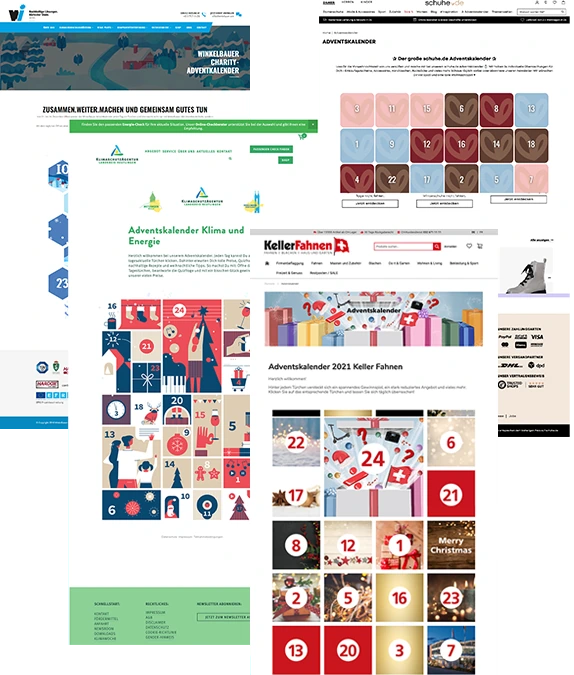
Seamless in your presence
The advent calendar embeds directly into your page via iFrame or runs under your domain via link. For your visitors it feels like a natural part of your presence, not a foreign tool. 24 doors, over 400 ready-made pieces of content and cookieless tracking are included.
Frequently asked questions about embedding
How do I embed the advent calendar into my website?
You copy the embed link or the iFrame code in the admin panel and paste it where you want it on your website. It takes a few minutes and needs no coding.
Does it work with Shopware and Shopify?
Yes. The integration is system-independent and runs with Shopware, Shopify, WordPress, TYPO3 and any common system, via link or iFrame.
Do I need coding skills?
No. You paste a ready-made link or iFrame code, nothing more is needed. You do not need any development of your own.
Does the calendar also run on an intranet?
Yes. You embed it the same way via link or iFrame and restrict access by password or IP if needed, for example for a staff-only intranet.

See the advent calendar in action
Click through a real demo before you get in touch. You will see straight away how doors, games and prize draws work.
Request a free, no-obligation quote
Tell us briefly what you have in mind. We will get back to you quickly with a suitable proposal.